
Workspaces and layouts
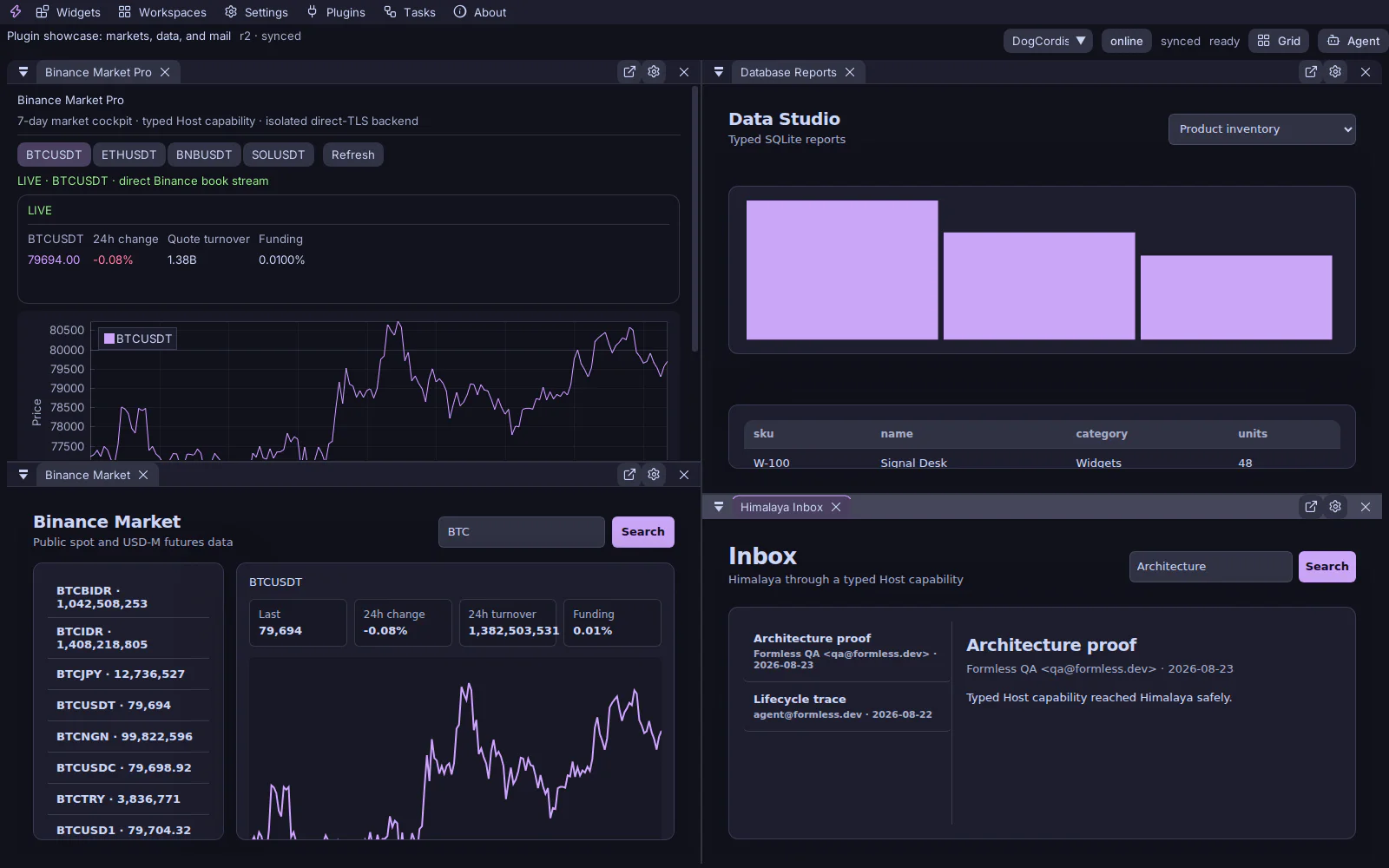
A workspace is the named synchronization unit. It contains reusable panel definitions, active instances, and the desktop docking tree. Use as many workspaces as needed—for example Markets, Operations, Mail, and Research—and switch without destroying their layouts.
Docking
Section titled “Docking”Drag a native panel tab toward a docking target. Click temporarily reduces Canvas opacity and publishes precise native occluder rectangles so browser-backed panels remain visible only where uncovered. Resizing keeps pointer capture even when the pointer leaves the panel edge.
Adding one panel does not rebuild the dock tree or reopen every closed panel. Closing a tab removes that instance from the active list; reusable definitions remain available in Widgets.
Maximize and restore
Section titled “Maximize and restore”Every panel has a maximize control. Maximize records the current dock context, expands only that instance, and restores it to the same place. On mobile the same control enters a focused single-panel presentation.
Fast switching
Section titled “Fast switching”Use Workspaces to select directly. The layout switch command accepts a workspace name; invoking it without a name opens the quick switcher. Workspace state is Host-scoped, so two Hosts may expose different workspace libraries.